Menu

We may earn a small commission from purchases made through our trusted partner and affiliate links, at no extra cost to you. Learn more ›

Huion

Huion specializes in high-quality graphics tablets and drawing devices, delivering professional-grade tools for digital artists, designers, and creators with features like battery-free styluses and high pen pressure sensitivity.

9 products Updated March 4, 2026

Huion Products (9)

1
-16%
HUION Kamvas 13 Gen 3 Drawing Tablet with Screen: 13.3" Full-Laminated, Anti-Glare Canvas Glass, 99% sRGB, PenTech 4.0, 16K Pressure, Dual Dials

HUION Kamvas 13 Gen 3 Drawing Tablet with Screen: 13.3" Full-Laminated, Anti-Glare Canvas Glass, 99% sRGB, PenTech 4.0, 16K Pressure, Dual Dials

Huion
9.7
ProductReviews.org score rating is a scoring system developed by our experts. The score is from 0 to 10 based on the data collected by the ProductReviews.org tool. This score doesn't impact from any manufacturer or sales agent websites. We encourage you to write a review of your experiences with these products. Learn more »
Pros & Cons

Pros

  • Exceptional color accuracy and calibration for professional artwork
  • Natural pen feel and high pressure sensitivity rival traditional drawing
  • Portable design enhances mobility without sacrificing performance
  • Versatile compatibility across major OS and devices
  • Productivity features like dual dials speed up creative tasks

Cons

  • Requires connection to a computer or compatible device; not standalone
  • Limited to specific Android devices supporting USB3.1 GEN1 and DP1.2
  • Pen nibs may wear over extended use despite stability improvements
2
-15%
HUION Inspiroy 2 Medium Graphics Tablet: Battery-Free Stylus, Scroll Wheel, 8 Custom Keys, 9x5in Area, 60° Tilt for Art & Design - Black

HUION Inspiroy 2 Medium Graphics Tablet: Battery-Free Stylus, Scroll Wheel, 8 Custom Keys, 9x5in Area, 60° Tilt for Art & Design - Black

Huion
9.7
ProductReviews.org score rating is a scoring system developed by our experts. The score is from 0 to 10 based on the data collected by the ProductReviews.org tool. This score doesn't impact from any manufacturer or sales agent websites. We encourage you to write a review of your experiences with these products. Learn more »
Pros & Cons

Pros

  • Superior PenTech 3.0 stylus delivers lag-free accuracy and natural drawing feel
  • Unique scroll wheel and programmable keys streamline editing in creative software
  • Broad OS compatibility including Android for mobile sketching
  • High-friction surface mimics paper for realistic writing and illustration
  • Symmetrical design supports left-handed users with 180° rotation

Cons

  • Requires constant USB-C connection to a computer, phone, or tablet—not standalone
  • Android compatibility limited to OTG-enabled devices with OS 6.0+
  • Smaller active area in phone mode may feel restrictive for detailed work
3
-22%
HUION Kamvas 13 Gen 3 13.3" Full-Laminated Drawing Tablet with Screen, Canvas Glass 2.0, PenTech 4.0, 99% sRGB, 16K Pressure - Black

HUION Kamvas 13 Gen 3 13.3" Full-Laminated Drawing Tablet with Screen, Canvas Glass 2.0, PenTech 4.0, 99% sRGB, 16K Pressure - Black

Huion
9.7
ProductReviews.org score rating is a scoring system developed by our experts. The score is from 0 to 10 based on the data collected by the ProductReviews.org tool. This score doesn't impact from any manufacturer or sales agent websites. We encourage you to write a review of your experiences with these products. Learn more »
Pros & Cons

Pros

  • Superior color accuracy with Avg. ΔE <1.5 and 99% sRGB
  • Battery-free pen with stable nibs and customizable side buttons
  • Versatile OS compatibility including Windows, macOS, and Android
  • Full lamination reduces parallax for responsive drawing
  • Customizable controls streamline creative workflows

Cons

  • Not a standalone device; requires connection to a computer or compatible device
  • Android compatibility limited to USB3.1 GEN1/DP1.2 supported models
  • No included felt pen nibs for varied texture options
4
Prime

HUION HS610 Drawing Tablet: Battery-Free Stylus, 8192 Pressure Levels, ±60° Tilt, 10x6.25" Area - Android/Windows/Mac Compatible

Huion
9.7
ProductReviews.org score rating is a scoring system developed by our experts. The score is from 0 to 10 based on the data collected by the ProductReviews.org tool. This score doesn't impact from any manufacturer or sales agent websites. We encourage you to write a review of your experiences with these products. Learn more »
Pros & Cons

Pros

  • Highly portable at 600g with Android phone connectivity
  • Battery-free EMR stylus for reliable, no-charge performance
  • Multifunctional touch ring and keys enhance productivity
  • Tilt support for realistic drawing angles
  • Broad software compatibility including mainstream art programs

Cons

  • Micro USB interface feels dated compared to USB-C
  • No Bluetooth for wireless connectivity
  • Requires OTG adapter and settings tweak for Android use
5
-26%
HUION Inspiroy H640P Drawing Tablet: 6x4in Battery-Free Stylus, 8192 Pressure Levels, 6 Custom Keys for Digital Art, Design, OSU - Mac/PC/Android
Prime

HUION Inspiroy H640P Drawing Tablet: 6x4in Battery-Free Stylus, 8192 Pressure Levels, 6 Custom Keys for Digital Art, Design, OSU - Mac/PC/Android

Huion
9.6
ProductReviews.org score rating is a scoring system developed by our experts. The score is from 0 to 10 based on the data collected by the ProductReviews.org tool. This score doesn't impact from any manufacturer or sales agent websites. We encourage you to write a review of your experiences with these products. Learn more »
Pros & Cons

Pros

  • Battery-free stylus prevents charging hassles and delivers consistent performance
  • High 8192 pressure sensitivity mimics real pen for authentic drawing feel
  • Broad OS compatibility including left-handed mode expands usability
  • Portable size ideal for travel, school, or small desks
  • Works with popular apps like Photoshop, SAI, and Zoom for immediate productivity

Cons

  • Does not support iOS devices
  • Small 6x4-inch active area limits larger-scale artwork
  • Requires driver installation and restart for full setup
6
-15%
HUION Inspiroy 2 L Drawing Tablet 10x6 Inch with Scroll Wheel, Battery-Free Stylus, Custom Keys - Mac PC Android Compatible

HUION Inspiroy 2 L Drawing Tablet 10x6 Inch with Scroll Wheel, Battery-Free Stylus, Custom Keys - Mac PC Android Compatible

Huion
9.6
ProductReviews.org score rating is a scoring system developed by our experts. The score is from 0 to 10 based on the data collected by the ProductReviews.org tool. This score doesn't impact from any manufacturer or sales agent websites. We encourage you to write a review of your experiences with these products. Learn more »
Pros & Cons

Pros

  • Large 10x6-inch active area for immersive sketching and design
  • Battery-free stylus eliminates charging hassles with tilt support
  • Multi-OS compatibility expands use from desktops to mobile devices
  • Ergonomic pen with anti-slip grip reduces fatigue during long sessions
  • Quick setup via USB-C with driver for immediate productivity

Cons

  • Not standalone; requires constant connection to a computer or device
  • Android compatibility limited to OTG-enabled devices with OS 6.0+
  • Custom keys require initial setup and memorization for optimal use
7
-25%
HUION Inspiroy H1060P Drawing Tablet: 8192 Pressure Levels, Battery-Free Stylus, 12 Hotkeys, 10x6.25in for Artists on Windows, Mac & Android

HUION Inspiroy H1060P Drawing Tablet: 8192 Pressure Levels, Battery-Free Stylus, 12 Hotkeys, 10x6.25in for Artists on Windows, Mac & Android

Huion
9.6
ProductReviews.org score rating is a scoring system developed by our experts. The score is from 0 to 10 based on the data collected by the ProductReviews.org tool. This score doesn't impact from any manufacturer or sales agent websites. We encourage you to write a review of your experiences with these products. Learn more »
Pros & Cons

Pros

  • Exceptional pressure sensitivity and tilt for precise, professional-level control
  • Customizable hot keys accelerate creative tasks and efficiency
  • Battery-free stylus ensures no interruptions during long sessions
  • Broad device compatibility including Android with OTG for mobile creativity
  • Lightweight 10mm slim build with pen loop for easy portability

Cons

  • Requires driver installation and USB troubleshooting for initial setup
  • Limited Android support to devices with OTG and 6.0+; no iPhone/iPad compatibility
  • Linux compatibility restricted to Xorg display server, not Wayland
8
Prime

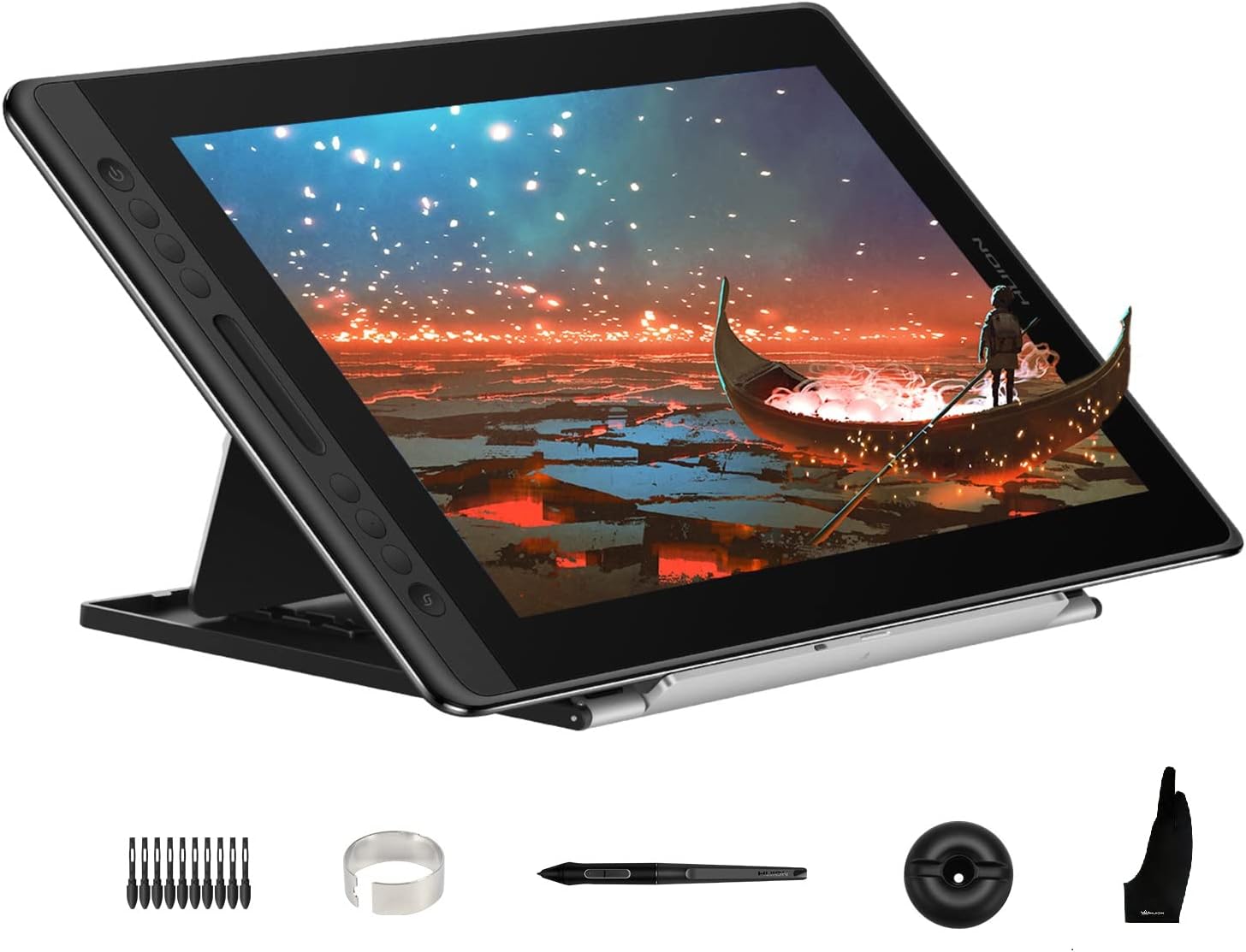
Huion Kamvas Pro 16 15.6-Inch Pen Display Drawing Tablet: Anti-Glare Screen, Battery-Free Pen, 120% sRGB, Adjustable Stand for Artists on Windows/Mac/Linux

Huion
9.6
ProductReviews.org score rating is a scoring system developed by our experts. The score is from 0 to 10 based on the data collected by the ProductReviews.org tool. This score doesn't impact from any manufacturer or sales agent websites. We encourage you to write a review of your experiences with these products. Learn more »
Pros & Cons

Pros

  • Immersive full-lamination minimizes parallax for precise artwork
  • Battery-free pen with programmable buttons enhances control
  • Broad compatibility with Windows, Mac, Linux, and major creative software
  • Ergonomic stand and accessories included for immediate productivity
  • High color accuracy ideal for design and illustration

Cons

  • Requires computer connection with HDMI/USB ports or adapters—not standalone
  • Driver installation needed, with specific steps for Mac users
  • Limited to FHD resolution compared to higher-end 2.5K models
9
Prime

HUION H420X Drawing Tablet: Battery-Free Stylus 8192 Pressure Levels, 4.17x2.6" Active Area for OSU, Art, Online Teaching on PC, Mac, Android

Huion
9.6
ProductReviews.org score rating is a scoring system developed by our experts. The score is from 0 to 10 based on the data collected by the ProductReviews.org tool. This score doesn't impact from any manufacturer or sales agent websites. We encourage you to write a review of your experiences with these products. Learn more »
Pros & Cons

Pros

  • Battery-free stylus eliminates charging hassles
  • Compact size perfect for limited space and portability
  • Works seamlessly with Photoshop, Clip Studio, Office apps, and OSU
  • Customizable pen buttons for instant eraser/right-click access
  • Type-C interface for fast, reversible connections

Cons

  • Small 4.17x2.6-inch active area suits beginners more than professionals
  • No iOS compatibility, limited to Android, Windows, and Mac
  • Driver installation required for full PC/Mac functionality

Huion Brand Guide

Huion has established itself as a trusted name in the world of digital creativity, renowned for its innovative graphics tablets that empower artists, designers, and hobbyists alike. Specializing in input devices like drawing tablets with and without screens, Huion products blend affordability with professional performance, making advanced tools accessible to a wide audience.

Why Choose Huion for Your Graphics Tablet Needs?

Huion stands out in the competitive landscape of graphics tablets by focusing on user-centric design and cutting-edge technology. Their lineup includes pen displays with full-laminated screens for seamless drawing experiences and portable pen tablets ideal for on-the-go creation. What sets Huion apart is its commitment to features like high pen pressure sensitivity—up to 16384 levels—battery-free styluses for uninterrupted workflow, and customizable hotkeys or dials that streamline digital art processes.

Built with durability in mind, Huion tablets feature anti-sparkle glass and wide color gamuts like 99% sRGB, ensuring vibrant, accurate visuals. Whether you're illustrating, animating, or teaching, these devices offer tilt recognition and low parallax for natural pen-on-paper feel. Huion's reputation for reliability stems from consistent quality across models, earning praise from creative professionals who value precision without complexity.

Product Quality and Innovation

Huion's product quality shines through in every detail, from PenTech stylus technology to ergonomic designs that reduce hand fatigue during long sessions. Their tablets support major operating systems including Windows, macOS, Android, and Linux, with plug-and-play compatibility that minimizes setup hassles. Models like the Kamvas series provide standalone screen experiences with anti-glare surfaces, while Inspiroy tablets offer compact, versatile options for sketching and note-taking.

  • High Pressure Sensitivity: Capture every nuance of your stroke with levels up to 16384 for detailed line work.
  • Battery-Free Pens: No charging needed, ensuring constant readiness.
  • Customizable Controls: Hotkeys, scroll wheels, and dials tailored to your workflow.
  • Wide Compatibility: Works seamlessly across devices for hybrid creative setups.

Huion invests in user feedback to refine products, resulting in tablets that balance portability, performance, and price point effectively. This approach has built a loyal community among digital artists seeking value-driven alternatives in the input devices category.

Who Are Huion Products Best For?

Huion excels for beginners dipping into digital art, as well as seasoned pros needing reliable peripherals. Students and educators appreciate the compact models for online classes and OSU gaming, while freelancers love the screen tablets for client presentations. If you're in graphic design, animation, or photo editing, Huion's drawing tablets integrate smoothly with software like Photoshop, Clip Studio Paint, and Krita.

For hobbyists, the smaller tablets provide an entry point with essential features, whereas larger surfaces cater to detailed illustrations. Huion's versatility makes it ideal for anyone prioritizing quality over brand hype in computer accessories.

Exploring Huion's Key Product Categories

Huion dominates the pen displays and pen tablet segments, offering options from ultra-portable to studio-grade. Screen-equipped models like those in the Kamvas line deliver immersive drawing with laminated touchpoints, reducing the gap between traditional and digital media. Non-screen tablets, such as the Inspiroy series, emphasize mobility with expansive active areas and programmable buttons.

These categories ensure Huion covers diverse needs, from casual sketching to professional production, all under the umbrella of graphics peripherals.

Frequently Asked Questions

Are Huion tablets compatible with both PC and Mac?

Yes, most Huion graphics tablets offer broad compatibility with Windows, macOS, Android devices, and even Linux, allowing seamless integration into various creative workflows.

What makes Huion's stylus technology special?

Huion's battery-free PenTech styluses provide high pressure sensitivity and tilt support without needing recharges, offering reliable performance for extended use.

Do Huion tablets work well for beginners?

Absolutely, with intuitive drivers, customizable shortcuts, and affordable entry-level models, Huion is beginner-friendly while scaling for advanced users.

Can Huion tablets be used for gaming or education?

Yes, compact models support OSU! gaming and educational tools, with responsive pens ideal for precise inputs in both scenarios.

How do Huion screens compare in color accuracy?

Huion pen displays feature wide color gamuts like 99% sRGB and anti-sparkle glass for accurate, glare-free visuals suitable for professional color work.