Menu

We may earn a small commission from purchases made through our trusted partner and affiliate links, at no extra cost to you. Learn more ›

KAMRUIMiniPC

KAMRUI MiniPC delivers compact, powerful mini desktops with AMD Ryzen processors, ideal for home offices, business, and multimedia tasks.

6 products Updated March 4, 2026

KAMRUIMiniPC Products (6)

1
-9%
KAMRUI Pinova P2 Mini PC: Ryzen 4300U (Beats N95/N150), 16GB RAM 512GB SSD, Triple 4K@60Hz, WiFi BT - Home/Office

KAMRUI Pinova P2 Mini PC: Ryzen 4300U (Beats N95/N150), 16GB RAM 512GB SSD, Triple 4K@60Hz, WiFi BT - Home/Office

KAMRUIMiniPC
9.7
ProductReviews.org score rating is a scoring system developed by our experts. The score is from 0 to 10 based on the data collected by the ProductReviews.org tool. This score doesn't impact from any manufacturer or sales agent websites. We encourage you to write a review of your experiences with these products. Learn more »
Pros & Cons

Pros

  • Powerful performance for price with 4.5/5 from 1803 reviews
  • Triple 4K display and fast ports enhance productivity
  • Easy RAM/SSD expansion up to 64GB/4TB
  • Compact, portable, and quiet cooling system
  • Versatile connectivity including WiFi/BT and auto power-on

Cons

  • Integrated graphics limit intensive gaming or 3D rendering
  • Older Zen 2 processor not ideal for latest heavy workloads
  • Upgrades require opening the case, not beginner-friendly
2
-7%
KAMRUI Pinova P1 Mini PC: AMD Ryzen 4300U, 16GB DDR4 RAM, 256GB M.2 SSD, Triple 4K Displays, WiFi, USB-C - Compact Desktop for Office, Home, HTPC

KAMRUI Pinova P1 Mini PC: AMD Ryzen 4300U, 16GB DDR4 RAM, 256GB M.2 SSD, Triple 4K Displays, WiFi, USB-C - Compact Desktop for Office, Home, HTPC

KAMRUIMiniPC
9.6
ProductReviews.org score rating is a scoring system developed by our experts. The score is from 0 to 10 based on the data collected by the ProductReviews.org tool. This score doesn't impact from any manufacturer or sales agent websites. We encourage you to write a review of your experiences with these products. Learn more »
Pros & Cons

Pros

  • Triple 4K display support enhances multi-tasking productivity
  • Highly expandable RAM and dual M.2 slots for future-proofing
  • Abundant ports including USB-C with DP Alt Mode reduce cable clutter
  • Strong integrated Radeon graphics for light editing and 4K playback
  • Proven stability for continuous operation in business or home use

Cons

  • Single-channel RAM stock limits peak performance until upgraded
  • WiFi 5 lacks the speed of newer WiFi 6 standards
  • Integrated graphics not suited for intensive gaming or heavy rendering
3
Prime

KAMRUI Pinova P1 Mini PC: AMD Ryzen 4300U (up to 3.7GHz), 16GB RAM, 1TB SSD, Triple 4K Displays, WiFi 5 & BT - Compact for Office & Home

KAMRUIMiniPC
9.6
ProductReviews.org score rating is a scoring system developed by our experts. The score is from 0 to 10 based on the data collected by the ProductReviews.org tool. This score doesn't impact from any manufacturer or sales agent websites. We encourage you to write a review of your experiences with these products. Learn more »
Pros & Cons

Pros

  • Superior performance beats N150/3500U in CPU and GPU tasks
  • Generous 16GB RAM and 1TB SSD with easy expansion
  • True triple 4K display support enhances multitasking
  • Abundant high-speed ports for peripherals and displays
  • Space-saving VESA mountable design

Cons

  • Integrated graphics only, not for heavy gaming
  • WiFi 5 lacks the speed of newer WiFi 6
  • Limited to 4 cores/threads for very intensive workloads
4
Prime

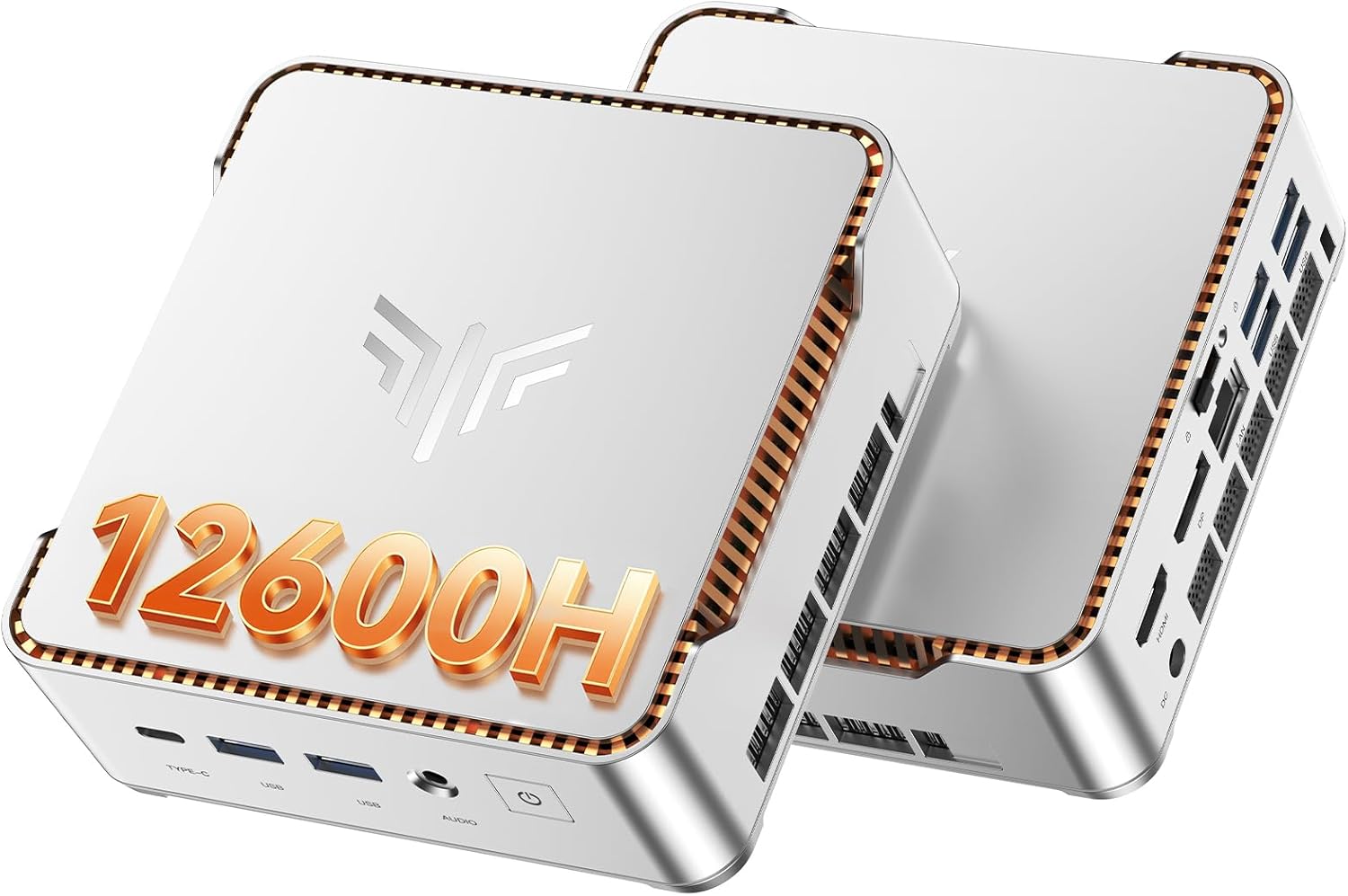
KAMRUI Pinova P2 Mini PC: Intel Core 12600H (12C/16T up to 4.5GHz), 16GB RAM, 512GB SSD, Triple 4K@60Hz, WiFi 6, 6x USB 3.2 - Home Office Powerhouse

KAMRUIMiniPC
9.6
ProductReviews.org score rating is a scoring system developed by our experts. The score is from 0 to 10 based on the data collected by the ProductReviews.org tool. This score doesn't impact from any manufacturer or sales agent websites. We encourage you to write a review of your experiences with these products. Learn more »
Pros & Cons

Pros

  • Powerful 12-core processor handles demanding apps and light gaming with Iris Xe graphics
  • Abundant ports including 6x USB 3.2 reduce need for hubs or adapters
  • Upgradeable RAM/SSD slots offer long-term value without full replacement
  • Triple 4K support boosts productivity for multi-monitor workflows
  • WiFi 6 and BT 5.2 ensure fast, reliable wireless connections

Cons

  • Integrated Iris Xe graphics not suited for intensive gaming or 3D rendering
  • 45W power consumption higher than low-power mini PCs, requiring stable outlet
  • Compact size may complicate internal upgrades for non-tech users
5
Prime

KAMRUI Hyper H1 Mini Gaming PC: Ryzen 7 6800H, 32GB DDR5 RAM (Upgradable), 512GB NVMe SSD, Triple 4K, WiFi 6

KAMRUIMiniPC
9.6
ProductReviews.org score rating is a scoring system developed by our experts. The score is from 0 to 10 based on the data collected by the ProductReviews.org tool. This score doesn't impact from any manufacturer or sales agent websites. We encourage you to write a review of your experiences with these products. Learn more »
Pros & Cons

Pros

  • Exceptional upgradability with dual DDR5 slots and dual M.2 SSD bays
  • Integrated Radeon 680M graphics handles light gaming and 4K visuals effortlessly
  • Rich ports including HDMI, DP, Type-C, and RJ45 for versatile connectivity
  • Efficient cooling for sustained high performance
  • Auto power-on feature for quick resumes

Cons

  • Integrated graphics limits high-end gaming performance
  • No dedicated GPU option in base config
  • May generate noticeable heat during intensive tasks
6
Pros & Cons

Pros

  • Compact and lightweight for easy portability
  • Strong multitasking with ample RAM and fast SSD
  • Versatile triple display support enhances productivity
  • Multiple high-speed ports for peripherals and networking
  • Wall-mountable with quiet operation

Cons

  • Entry-level 2-core processor limits intensive workloads like gaming
  • Integrated graphics not suited for heavy video editing
  • Brand lacks extensive user reviews for long-term reliability

KAMRUIMiniPC Brand Guide

KAMRUI MiniPC Brand Overview and History

KAMRUI MiniPC emerged as a trailblazer in the mini desktop market around 2018, driven by a mission to pack enterprise-level performance into pocket-sized devices. Founded by tech enthusiasts frustrated with bulky traditional PCs, the brand quickly gained traction through its focus on AMD Ryzen processors and customizable configurations. From humble beginnings in Shenzhen, China—a global hub for electronics innovation—KAMRUI expanded globally, earning accolades for reliability and value. Today, KAMRUI MiniPC products like the Pinova P2 dominate the Electronics > Computers & Accessories > Computers & Tablets > Desktops > Minis category, serving millions with silent, energy-efficient computing solutions. Their commitment to quality is evident in rigorous testing and customer-centric designs, making them a trusted name for mini PC buyers worldwide.

Key Product Categories and Features

KAMRUI MiniPC excels primarily in mini desktops, offering versatile options for diverse needs. Here's a breakdown of their standout categories and features:

  • Mini Desktops: Flagship line including the Pinova P2 Mini PC with 16GB DDR4 RAM, 512GB NVMe SSD, and AMD Ryzen 4300U (up to 3.7 GHz burst). Beats Intel N95/N150 and older Ryzen models in benchmarks.
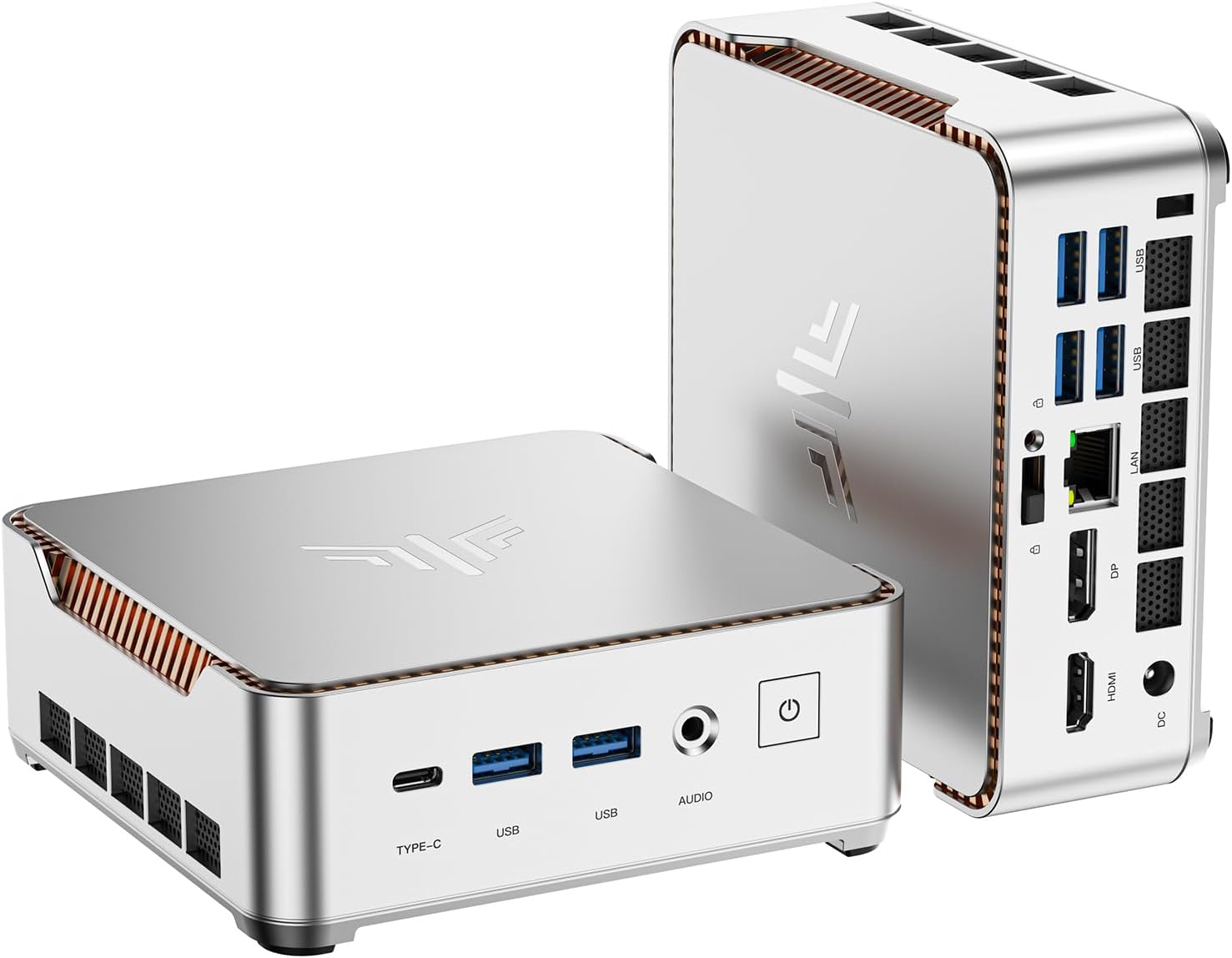
  • Display Capabilities: Triple 4K@60Hz support via HDMI 2.0, DisplayPort 1.4, and USB-C (with DP alt mode)—ideal for multitasking, video editing, or office setups.
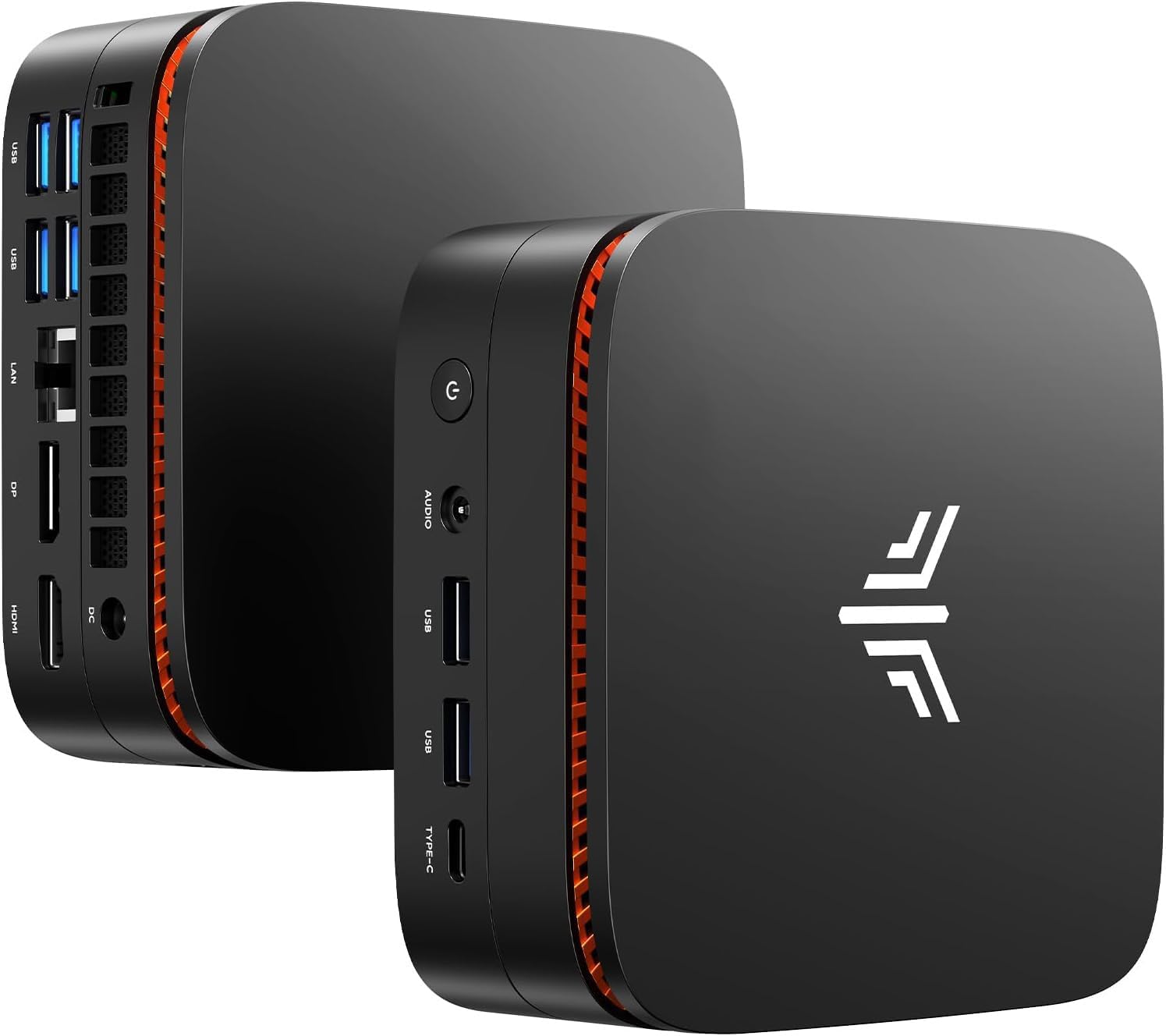
  • Connectivity: WiFi 6, Bluetooth 5.2, multiple USB 3.2 ports, Gigabit Ethernet for seamless networking.
  • Build and Expandability: Compact 4.5 x 4.5 x 1.6 inches design, VESA mountable, dual M.2 SSD slots, SO-DIMM RAM upgradeable up to 64GB.
  • OS and Software: Pre-installed Windows 11 Pro, with Linux compatibility; includes office suites and productivity tools.

These features position KAMRUI mini PCs as superior alternatives to larger desktops or underpowered laptops, perfect for digital signage, NAS servers, media centers, or daily computing.

Why Choose KAMRUI MiniPC?

Choosing KAMRUI MiniPC means opting for unmatched value in the mini desktop space. Their products deliver Intel-beating performance at budget-friendly prices, with the Pinova P2 earning a 4.5/5 rating from thousands of users praising its speed, quiet operation, and cool thermals. Unlike generic brands, KAMRUI offers robust build quality, 1-year warranties, and responsive support. Energy-efficient designs reduce electricity bills, while the tiny footprint frees up desk space—ideal for home offices, students, or IT pros. In benchmarks, the Ryzen 4300U handles 4K video playback, light gaming (e.g., League of Legends at 60FPS), and demanding apps like Adobe Suite effortlessly. Affiliates and reviewers highlight the easy setup and expandability, making it future-proof. Whether for business productivity or home entertainment, KAMRUI delivers reliability without compromise, backed by positive feedback on speed, value, and versatility.

Customers rave about real-world applications: remote workers appreciate the multi-monitor support, gamers enjoy casual play without noise, and businesses deploy fleets for cost savings. With free shipping on most orders and bundle deals, KAMRUI MiniPC isn't just hardware—it's a smart investment in compact computing excellence.

FAQ

What makes the KAMRUI Pinova P2 better than Intel NUC minis?

The AMD Ryzen 4300U outperforms Intel N95/N150 in multi-core tasks, graphics, and efficiency, supporting triple 4K displays at a lower price point.

Can I upgrade RAM/SSD on KAMRUI mini PCs?

Yes, the Pinova P2 supports up to 64GB DDR4 RAM and dual M.2 SSDs for easy expansion without voiding warranty.

Is the KAMRUI MiniPC suitable for business use?

Absolutely—Windows 11 Pro, Gigabit Ethernet, and VESA mounting make it perfect for offices, servers, or kiosks.

Does it support 4K triple monitors?

Yes, via HDMI, DP, and Type-C ports, delivering smooth 4K@60Hz on three screens simultaneously.

What’s the warranty and return policy?

KAMRUI offers a 1-year warranty, 30-day returns, and lifetime tech support for peace of mind.