Menu

We may earn a small commission from purchases made through our trusted partner and affiliate links, at no extra cost to you. Learn more ›

MINISFORUM

MINISFORUM is renowned for crafting compact, high-performance mini PCs and workstations that deliver enterprise-grade power in small form factors, ideal for professionals and enthusiasts.

0 products Updated March 4, 2026

MINISFORUM Products (5)

1

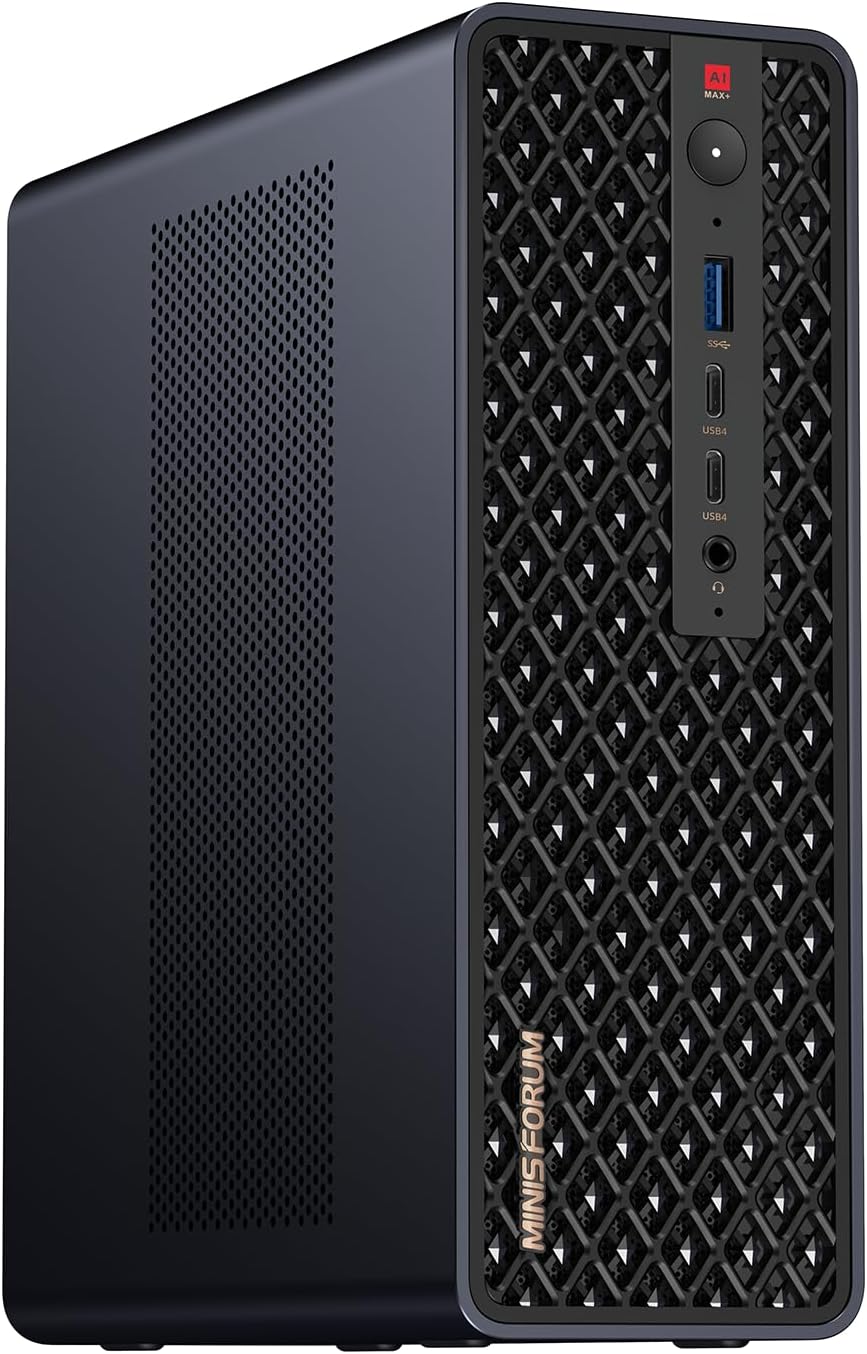
MINISFORUM MS-S1 Max Mini Workstation: Ryzen AI Max+ 395, 128GB LPDDR5, 2TB SSD, Radeon 8060S, 5x 8K Outputs, 2x 10G LAN

MINISFORUM
9.9
ProductReviews.org score rating is a scoring system developed by our experts. The score is from 0 to 10 based on the data collected by the ProductReviews.org tool. This score doesn't impact from any manufacturer or sales agent websites. We encourage you to write a review of your experiences with these products. Learn more »
Pros & Cons

Pros

  • Exceptional AI and multi-threaded performance for demanding applications
  • Rich I/O including five high-res video outputs and dual 10G Ethernet
  • Generous pre-installed RAM and SSD with easy expansion options
  • Advanced cooling keeps it quiet and stable under heavy workloads
  • Compact design packs workstation power into a small footprint

Cons

  • High power draw up to 160W demands a stable power source
  • PCIe x16 slot limited to x4 bandwidth for expansions
  • Overkill and complex for everyday casual computing needs
2
Prime

MINISFORUM MS-S1 MAX Mini AI Workstation: Ryzen AI Max+ 395, 128GB LPDDR5x RAM, 126 TOPS, PCIe x16, Dual 10GbE

MINISFORUM
9.8
ProductReviews.org score rating is a scoring system developed by our experts. The score is from 0 to 10 based on the data collected by the ProductReviews.org tool. This score doesn't impact from any manufacturer or sales agent websites. We encourage you to write a review of your experiences with these products. Learn more »
Pros & Cons

Pros

  • Unmatched AI performance with integrated NPU and RDNA 3.5 GPU
  • Huge unified memory pool boosts stability in demanding tasks
  • Versatile I/O and expansion for pro workflows
  • Proven cooling and certifications for 24/7 reliability
  • Built-in AI mics enhance voice command integration

Cons

  • High power demands require dedicated 320W PSU setup
  • Cluster capabilities need multiple units for full potential
  • Premium specs target advanced users over casual setups
3
-7%
MINISFORUM MS-R1 ARM Mini Workstation: CIX CP8180 12-Core, 64GB ECC LPDDR5, PCIe x16, Dual 10GbE, Triple 4K Display

MINISFORUM MS-R1 ARM Mini Workstation: CIX CP8180 12-Core, 64GB ECC LPDDR5, PCIe x16, Dual 10GbE, Triple 4K Display

MINISFORUM
9.8
ProductReviews.org score rating is a scoring system developed by our experts. The score is from 0 to 10 based on the data collected by the ProductReviews.org tool. This score doesn't impact from any manufacturer or sales agent websites. We encourage you to write a review of your experiences with these products. Learn more »
Pros & Cons

Pros

  • World-first ARM UEFI boot simplifies virtualization setup
  • Massive expandability via PCIe x16 and M.2 slots
  • Dual 10GbE delivers superior wired networking speeds
  • Triple display support enhances multitasking efficiency
  • ECC memory ensures data integrity for critical workloads

Cons

  • Ships without SSD, requiring separate storage purchase
  • ARM architecture limits x86 software compatibility
  • ECC mode reduces effective memory capacity slightly
4
Prime

MINISFORUM MS-01 i9-13900H Mini Workstation Barebone: 2x10G SFP+, 3x SSD Slots, GPU Support, USB4 Outputs

MINISFORUM
9.7
ProductReviews.org score rating is a scoring system developed by our experts. The score is from 0 to 10 based on the data collected by the ProductReviews.org tool. This score doesn't impact from any manufacturer or sales agent websites. We encourage you to write a review of your experiences with these products. Learn more »
Pros & Cons

Pros

  • Exceptional processor power for high-performance workloads
  • Superior networking with 10G SFP+ for pro-level connectivity
  • Highly flexible expandability for storage and graphics
  • Supports multiple high-res displays for efficient multitasking
  • Compact design packs workstation power into mini form

Cons

  • Barebone kit requires separate RAM, SSD, and OS purchases
  • Assembly and expansions demand technical knowledge
  • High-end specs may lead to elevated power draw
5
-5%
MINISFORUM MS-A2 Barebone Mini PC: Ryzen 9 9955HX 16C/32T up to 5.4GHz, PCIe x16, 8K Triple Display, Dual 10G SFP+, 3x M.2 SSD Slots

MINISFORUM MS-A2 Barebone Mini PC: Ryzen 9 9955HX 16C/32T up to 5.4GHz, PCIe x16, 8K Triple Display, Dual 10G SFP+, 3x M.2 SSD Slots

MINISFORUM
9.6
ProductReviews.org score rating is a scoring system developed by our experts. The score is from 0 to 10 based on the data collected by the ProductReviews.org tool. This score doesn't impact from any manufacturer or sales agent websites. We encourage you to write a review of your experiences with these products. Learn more »
Pros & Cons

Pros

  • Exceptional multi-threaded performance for creative and compute-intensive workloads
  • Versatile expansion options including PCIe x16 and massive storage capacity
  • Superior cooling enables sustained high performance without throttling
  • Ultra-fast wired and wireless networking for data-heavy environments
  • Supports high-res triple displays up to 8K for immersive productivity

Cons

  • Barebone design requires user to add RAM, storage, and OS separately
  • Compact form factor limits full-size GPU compatibility without splitting PCIe lanes
  • Advanced features may overwhelm users seeking simple plug-and-play setups

MINISFORUM Brand Guide

MINISFORUM has carved a niche in the world of compact computing by delivering powerful mini PCs and workstations that pack enterprise-level performance into incredibly small packages. Known for innovations in mini form factors, the brand excels in products tailored for demanding tasks like virtualization, content creation, AI workloads, and professional networking setups.

Why Choose MINISFORUM for Your Computing Needs?

MINISFORUM stands out with its focus on modularity, expandability, and raw power in desktops that defy their size. Their mini PCs often feature cutting-edge processors, generous RAM support, multiple storage options, and advanced connectivity like 10GbE LAN ports, PCIe slots, and USB4 interfaces. This makes them perfect for users who need robust performance without the bulk of traditional desktops.

What sets MINISFORUM apart is the thoughtful engineering behind each unit. For instance, models support UEFI boot, triple displays, and even discrete graphics cards, catering to a wide range of applications from home servers to professional workstations. The brand's reputation for reliability and versatility has earned it a loyal following among IT professionals, developers, and power users who prioritize efficiency and scalability.

Product Quality and Build Excellence

MINISFORUM products are built to last, featuring high-quality components such as ECC LPDDR5 memory, robust cooling systems, and durable chassis designs. Their workstations handle intensive workloads effortlessly, with options for ARM-based efficiency or Intel Core i9 muscle. Users appreciate the barebone configurations that allow customization, ensuring the system evolves with their needs.

In the realm of Mini PCs, MINISFORUM leads with models boasting PCIe x16 slots for graphics upgrades, dual 10GbE or 2.5G LAN for networking pros, and multiple SSD slots for massive storage. These features make them ideal for virtualization environments, Docker containers, and VM hosting, all while maintaining a footprint smaller than a book.

Who Are MINISFORUM Products Best For?

These mini powerhouses suit a variety of users:

  • Professionals and Developers: Leveraging VM support, Docker compatibility, and high-core CPUs for coding, testing, and server tasks.
  • Network Enthusiasts: With 10G SFP+ ports and multiple LAN options for homelabs or small business networks.
  • Content Creators and Gamers: Triple display outputs, USB-C, and graphics expandability for editing, rendering, and light gaming.
  • IT Admins: Compact servers with ECC memory and UEFI for reliable, always-on operations.

Explore more options in our Mini PCs category to see how MINISFORUM fits into broader computing solutions.

Key Product Highlights

MINISFORUM's lineup shines in high-spec mini desktops. Take the ARM-powered mini workstation with up to 45 TOPS NPU performance, ideal for edge AI and efficient computing. Or consider Intel-based barebones with 3x SSD slots and SFP+ networking, perfect for custom builds. These products emphasize future-proofing with slots for expansions and support for modern peripherals.

When diving into Mini PCs, MINISFORUM's offerings consistently deliver on promises of power density, making them a top pick for space-constrained setups without compromising on capability.

MINISFORUM FAQ

Are MINISFORUM mini PCs suitable for professional workloads?

Yes, MINISFORUM mini PCs are designed for pro use, featuring high-core CPUs, ECC memory options, and expandability like PCIe slots and multiple NVMe SSDs, making them great for virtualization, AI, and server applications.

What makes MINISFORUM workstations stand out from standard mini PCs?

They offer unique features like 10GbE LAN, SFP+ ports, discrete GPU support, and robust I/O, providing workstation-grade performance in compact forms ideal for networking and compute-intensive tasks.

Can I upgrade MINISFORUM products after purchase?

Absolutely, many models are barebones or modular, supporting RAM upgrades, multiple SSDs, and even graphics cards via PCIe, allowing customization to meet evolving needs.

Do MINISFORUM mini PCs support multiple displays?

Most models do, with configurations like HDMI, dual USB-C, or triple display support, perfect for productivity and multi-monitor setups.

Is MINISFORUM focused only on mini PCs?

Primarily yes, with a strong emphasis on Mini PCs and workstations, delivering high performance in small packages for diverse users from enthusiasts to enterprises.